

Roles & permissions
Decide what managers and members can do — with an editable, resource-by-action matrix.
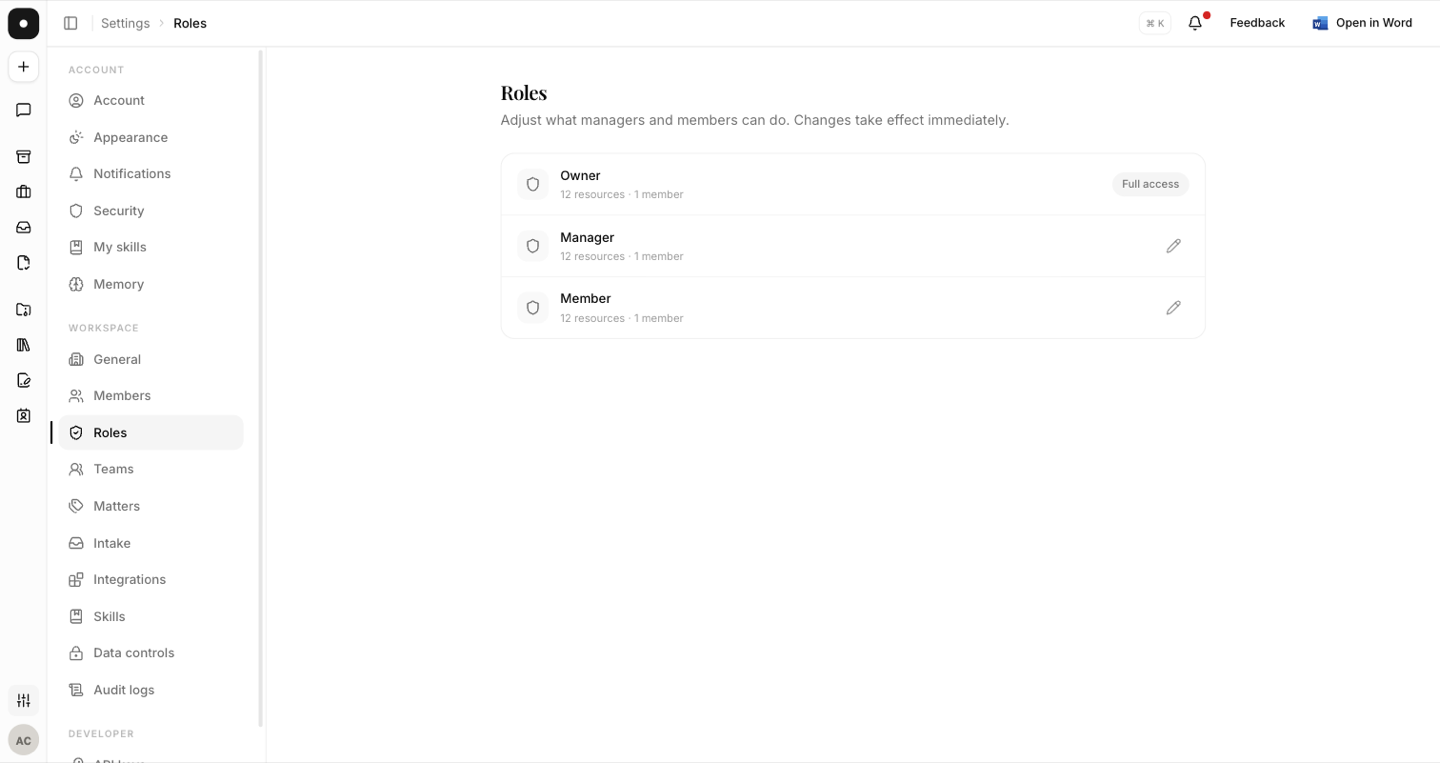
Roles keep the sensitive things — billing, managing people, deleting shared content — in the right hands while everyone else gets on with their work. instaSpace ships three roles and then lets you edit two of them, so the defaults are a starting point rather than a ceiling.
By the end you'll understand the three roles, how to customise what Manager and Member can do, and how to get back to the defaults.
This is for workspace owners, under Settings → Roles.
The three roles
| Role | What it is |
|---|---|
| Owner | Full access, fixed. Cannot be edited — there is always someone who can undo a mistake. |
| Manager | Runs the workspace day to day: people, settings, intake. Editable. |
| Member | Does the legal work. Editable. |
Customise the matrix
Open Manager or Member and you get a resource-by-action grid — playbooks, vault, requests, matter types, members, chats and more, each with the actions that resource supports. Tick what that role should be able to do.
A role that differs from the shipped defaults is marked Customized, and one click resets it. That badge matters more than it looks: six months on, it's the difference between "this is how instaSpace works" and "somebody here decided this".
Changes take effect immediately, for everyone holding that role. Check who's affected before removing access that people rely on — Settings → Roles shows the member count against each role.
Give the least privilege that works
The rule of thumb: give each person the lowest role that still lets them do their job, and reserve elevated permissions for the few who genuinely need them. Two permissions are worth deciding deliberately rather than by default:
- Chats → View all lets a Manager see other members' chat threads. The owner always has this; granting it delegates oversight. See Chat visibility.
- Contract type management is its own resource, so you can let a role use types during triage without letting it rename or archive them.
What's gated by plan
Role customisation is a workspace feature — it needs a Team or Enterprise plan. On lower plans the page shows an upgrade card, and the API enforces the same gate, so a workaround through the API isn't one. See Plans & seats.