

Signing in
Create your account and sign in with email, Google, or Microsoft.
Getting in takes a moment. instaSpace offers three ways in — pick whichever matches how your organization manages accounts.
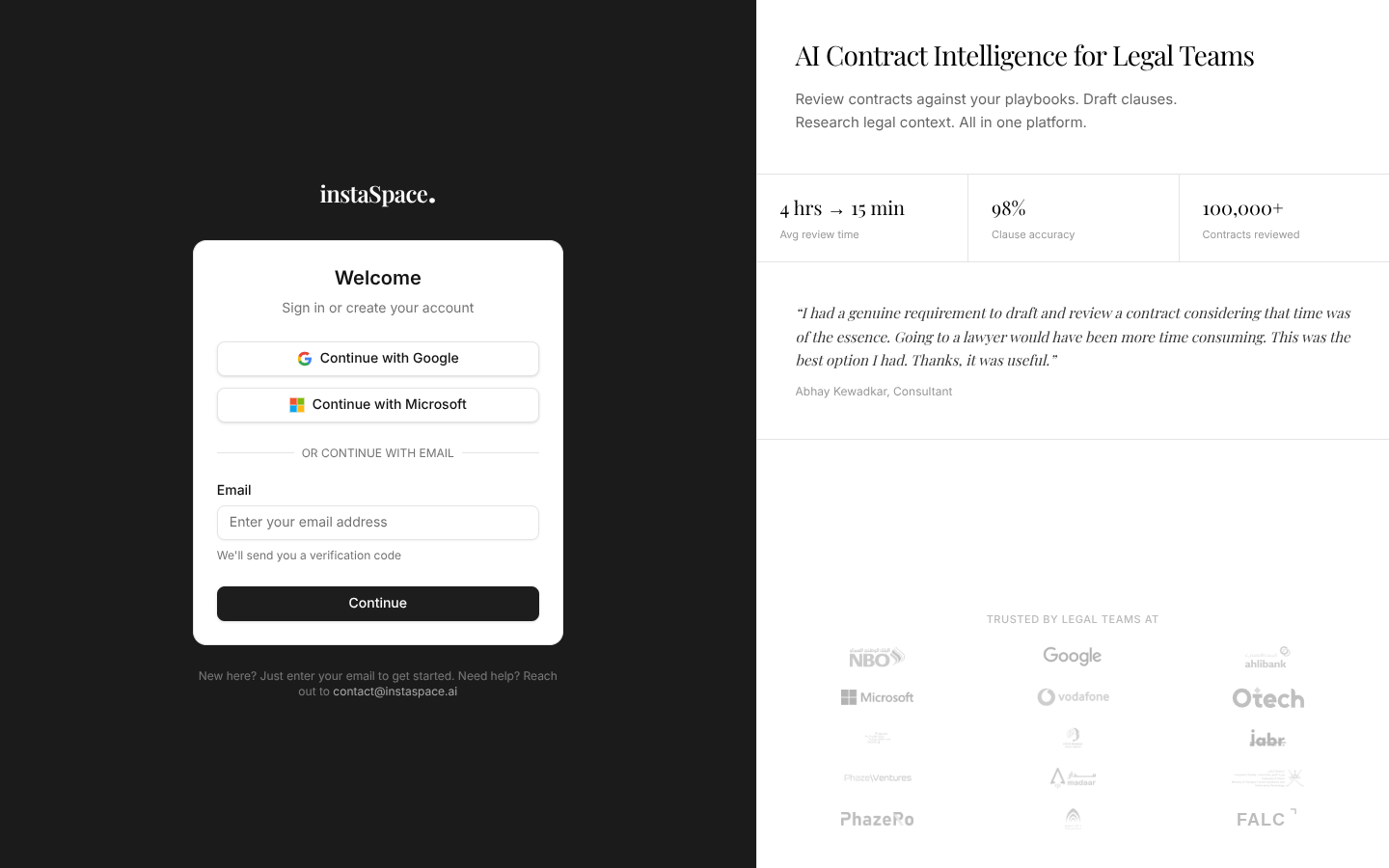
Three ways in
- Email — the field at the top. Enter your work email, and we'll send a one-time passcode; paste it in to sign in. No password to remember.
- Continue with Google — use your Google Workspace account.
- Continue with Microsoft — use your Microsoft 365 account.
There is no "create an account" step to find: the same email field handles both. Enter an address we've never seen and you're signed up; enter one we have and you're signed in.
If your organization uses single sign-on, use the Google or Microsoft button that matches your work account. Admins can read more in SSO setup.
The email passcode
If you sign in by email, check your inbox for a six-digit code and enter it to finish. The code is single-use and expires shortly, so just request a fresh one if it ever lapses.
It remembers how you got in
Under the buttons, a quiet line records the method you used last — You last signed in with email, or a Last used badge on whichever provider you chose. It's there to stop the most common sign-in mistake: creating a second identity by arriving through Google one week and email the next.
The first time you sign in, instaSpace runs a short, one-minute setup — that's next.