

Setting up your workspace
Name your organization, review your plan and seats, and set the basics before inviting your team.
Your workspace is the shared home for your team's documents, playbooks and settings. A few minutes here — naming it, checking your plan, understanding seats — makes everything that follows, from inviting colleagues to sharing playbooks, run smoothly.
By the end your workspace will be named and ready for people to join.
This is for workspace owners and admins. You'll find it under Settings → Organization → General.
Open your organization settings
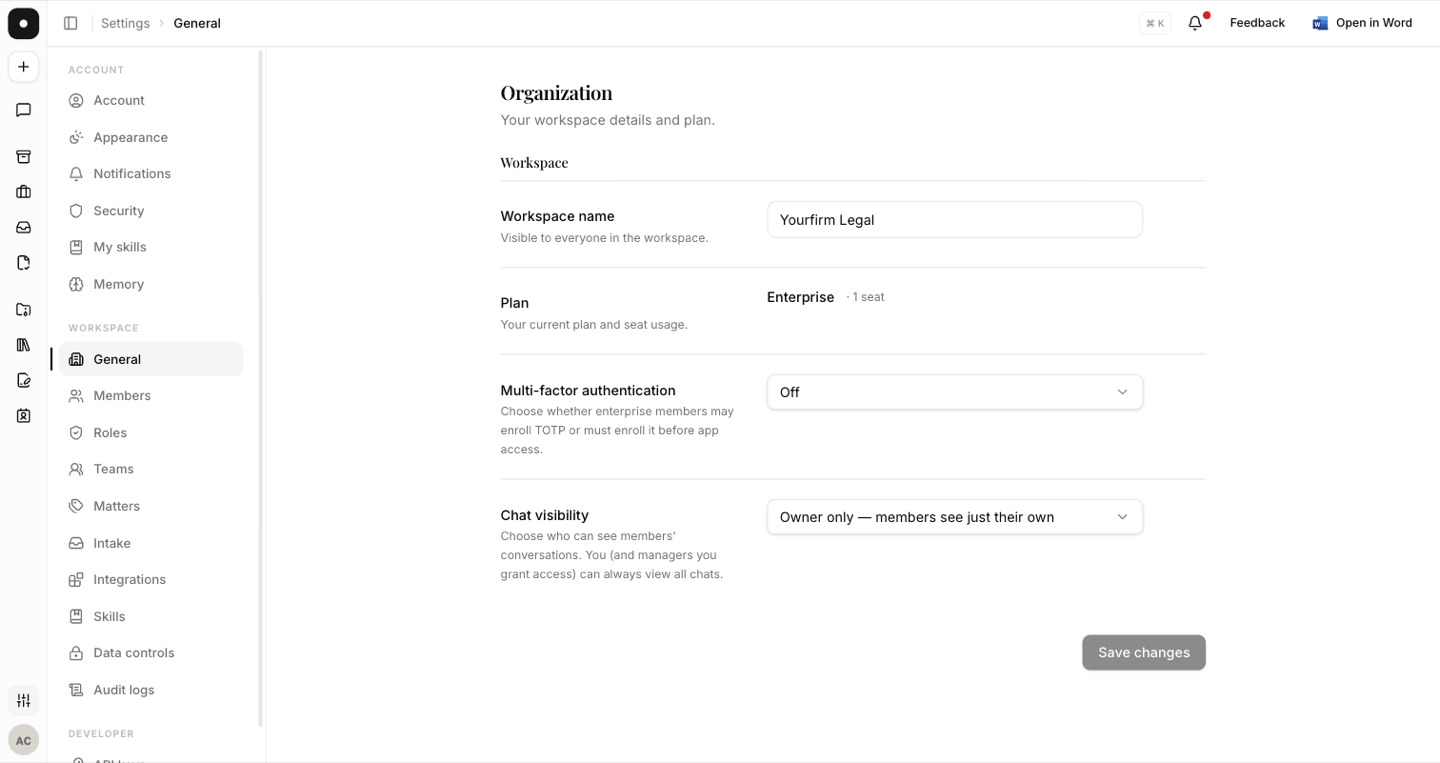
From Settings, choose General under the Organization heading. This page is the control panel for the workspace as a whole — its name, your plan, and how many of your seats are in use.
Name it for your firm
Give the workspace a clear name — usually your firm or company. It's what colleagues see when they're invited, and what appears on anything shared inside the organization, so it's worth getting right before people arrive.
Check your plan and seats
Every person you invite takes a seat. Glance at your plan and how many seats are in use so there are no surprises when you start inviting — if you're out, you can upgrade right from here. With that in place, you're ready to bring your team in.