

Plans & seats
How team plans, seats and the shared credit pool work — and what a team workspace unlocks.
instaSpace has two shapes of paid plan: individual plans for one person, and team plans for a legal team of two or more. They differ in more than price — a team plan changes how credits work, how billing grows, and which parts of the product exist at all.
By the end you'll understand seats, the shared credit pool, and what a team workspace unlocks.
This is for whoever buys and manages the plan, under Settings → Billing.
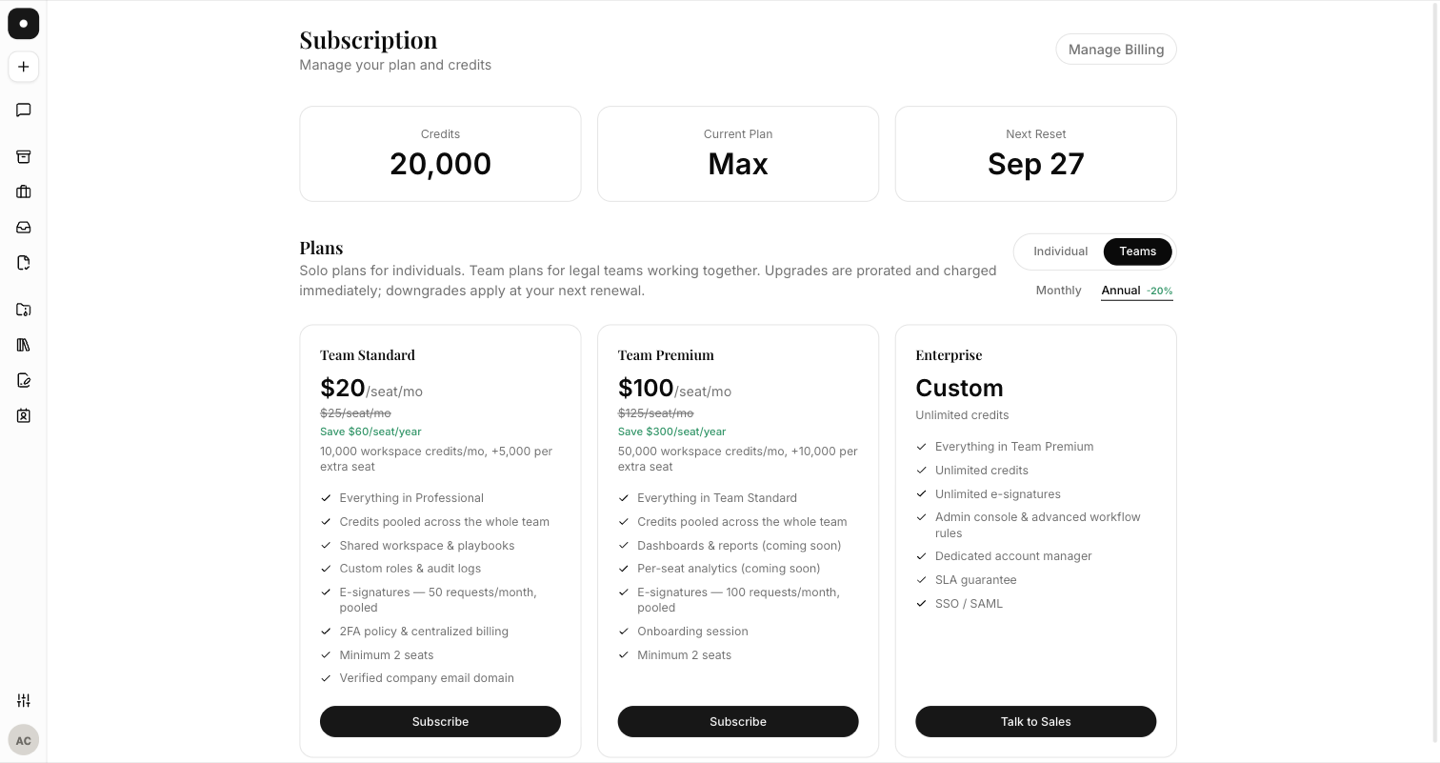
Buying a team plan creates a new workspace
This is the part that surprises people, so it's worth stating plainly: purchasing a Team plan creates a brand-new team workspace with you as its owner. It does not upgrade the personal workspace you were already in. You name the new workspace at checkout, and after payment your session switches into it automatically.
You'll land in a short setup wizard: confirm your name, name the workspace, and invite your first colleagues by company email.
Seats follow membership
You buy a number of seats — minimum two — and after that seats look after themselves:
- Invite someone past your purchased seats and the subscription grows first, prorated, before the member is added.
- Remove a member and it shrinks, never below two.
There is no separate "manage seats" chore. The member list is the seat count.
Team plans are restricted to verified company email domains. Free providers can't purchase one, invitees into a team workspace must use a business address, and there can be only one team workspace per domain.
Credits are a shared pool
On an individual plan, credits are yours. On a team plan they're a workspace pool that every member draws from, topped up monthly and growing with each extra seat.
When the pool runs out mid-cycle, AI requests stop with an upgrade prompt — owners see the plan options, members are pointed at their owner, because they're not the ones who can fix it. Billing settings show the pooled balance and the automatic seat count.
What a team workspace unlocks
Some things simply don't exist on individual plans, because they're about coordinating people:
- Role customisation
- Teams
- Audit logs
- MFA policy enforcement
On a lower plan those settings pages show an upgrade card, and the API enforces the same gate.
Individual plans
Free, Starter and Professional cover one person. Max sits above them: it includes everything in Professional for a single seat, with AI usage that is never metered — no balance to watch and no preview cut-off.
If you're already a solo subscriber and you buy a team plan, your personal subscription isn't silently replaced — you end up owning a new team workspace alongside it. Check Settings → Billing in each workspace if you're unsure which one a charge belongs to.