

Drafting a document
Generate a clause or a whole document from a short brief, then shape it to fit.
Drafting takes you from a blank page to usable language in a single prompt. You describe what you need — the document, the parties, the must-have terms — and instaSpace produces a structured first draft you can refine.
By the end you'll have generated a document and know how to refine it and ground it in your own templates.
You'll need a signed-in account. A reference document or template is optional, but it makes the result feel like yours.
Brief it like you'd brief a colleague
The quality of the draft tracks the quality of the brief. Name the document type, the parties and their roles, the governing law, and any terms that aren't optional:
Draft a mutual NDA between two UK companies for exploratory commercial discussions. Include a 3-year confidentiality term and carve-outs for independently developed information.
Read the first draft
instaSpace writes the document into the panel beside the chat — properly structured, with defined terms and numbered clauses — and gives you a Download as Word button when you're ready to take it out.
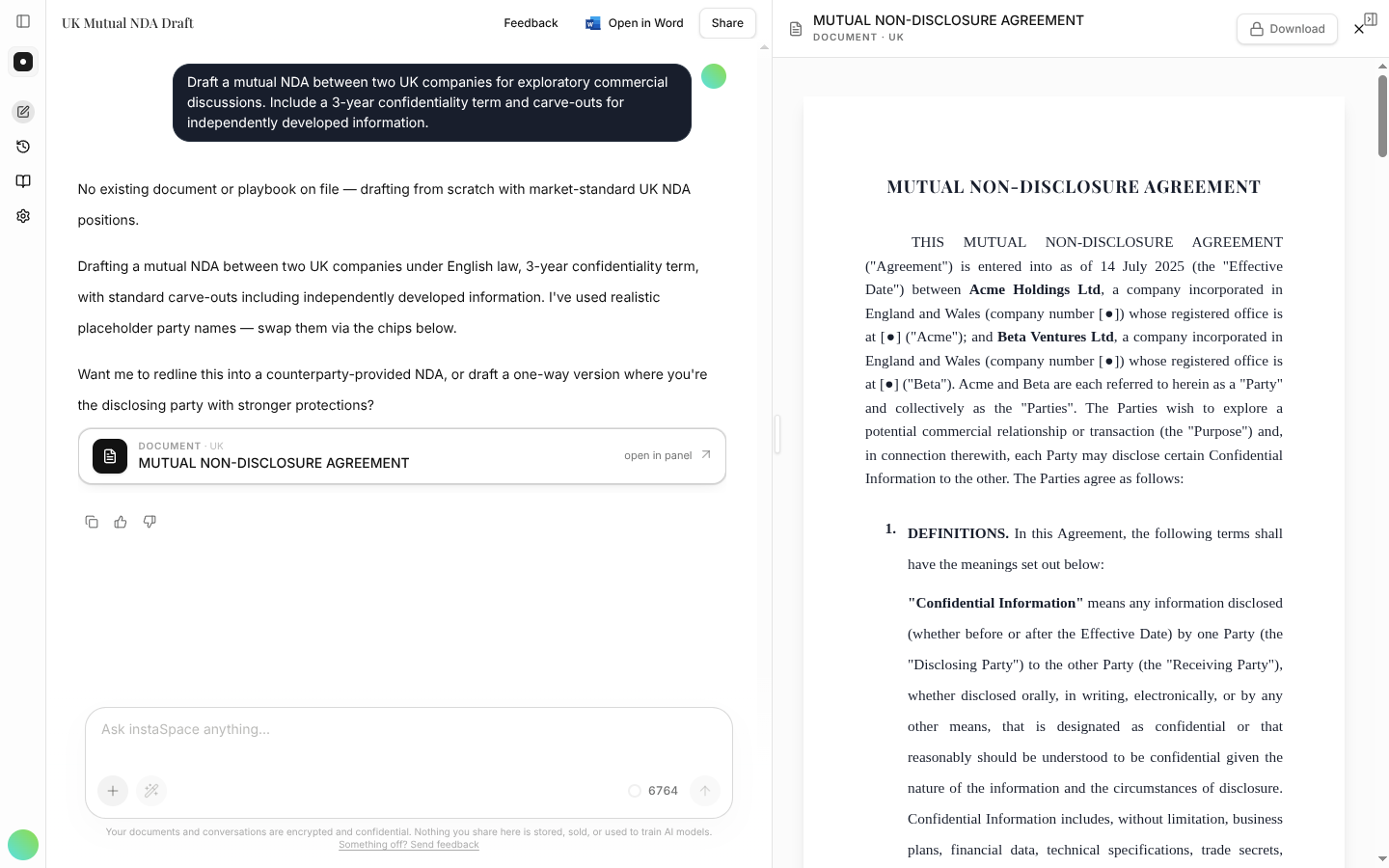
Treat it as a strong first draft, not a finished document. It's fast and well-formed, but the judgment is still yours.
Refine in place
Shape the draft with follow-ups, right in the same conversation:
Make the confidentiality obligation survive termination, and add a clause on return of materials.
To make the language sound like your firm rather than generic boilerplate, point instaSpace at one of your templates or a prior document from the Vault — it will draft to your house style.
Finish in Word
When the draft is where you want it, export it to Word with one click and finalize in your normal workflow.
- Spell out jurisdiction and party roles up front — they change the language materially.
- Give instaSpace a template and your drafts stop reading like generic precedent.
- Always have a human review a generated draft before it goes out.