

Quick Start
From signing in to your first AI-reviewed contract in about five minutes.
This is the fastest way to see instaSpace work on something real. In five minutes you'll go from signed-out to a structured contract review on screen. If you'd rather understand the product first, read What is instaSpace?.
By the end you'll have run your first review and know the core loop: upload, ask, read, verify.
You'll need a work email and a contract to try (PDF or Word). No contract handy? Use the built-in sample in step 3.
1. Sign in
Open instaSpace and sign in with email, Google or Microsoft — details in Signing in.
2. Finish the one-minute setup
The first time in, instaSpace asks your name, and — optionally — your role and the work you'll do most, so it can tailor its answers to you. See Your first session.
3. Add a contract
In the assistant, drag a document onto the chat — or click the + to choose one. No document to hand? Choose or try an example to load a sample doc.
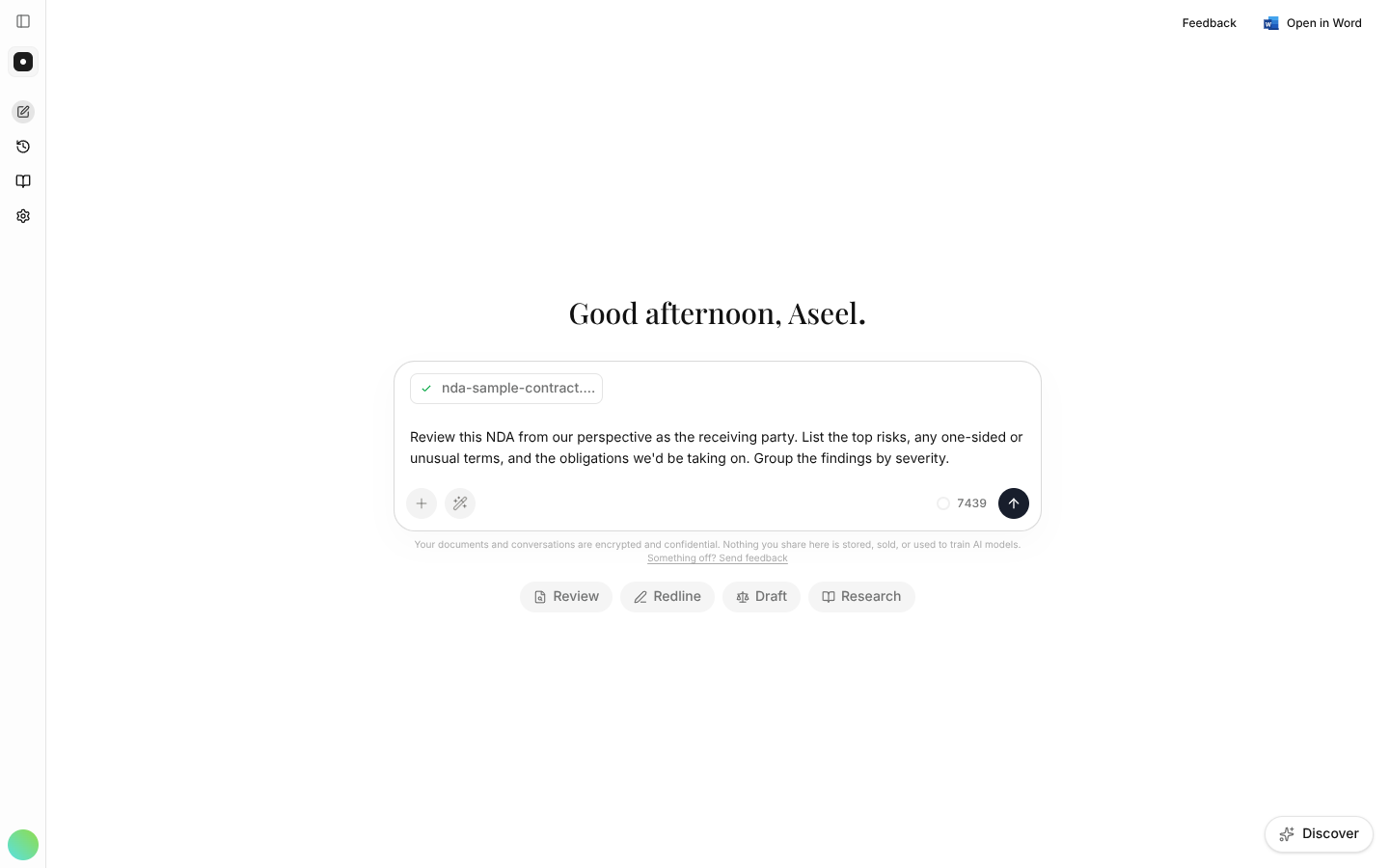
4. Ask for a review
Type what you want and send it:
Review this contract and list the top risks and any one-sided terms, grouped by severity.
5. Read the result
instaSpace returns a structured review beside the document, with each finding linked to the clause it came from. Click any citation to jump straight to it.
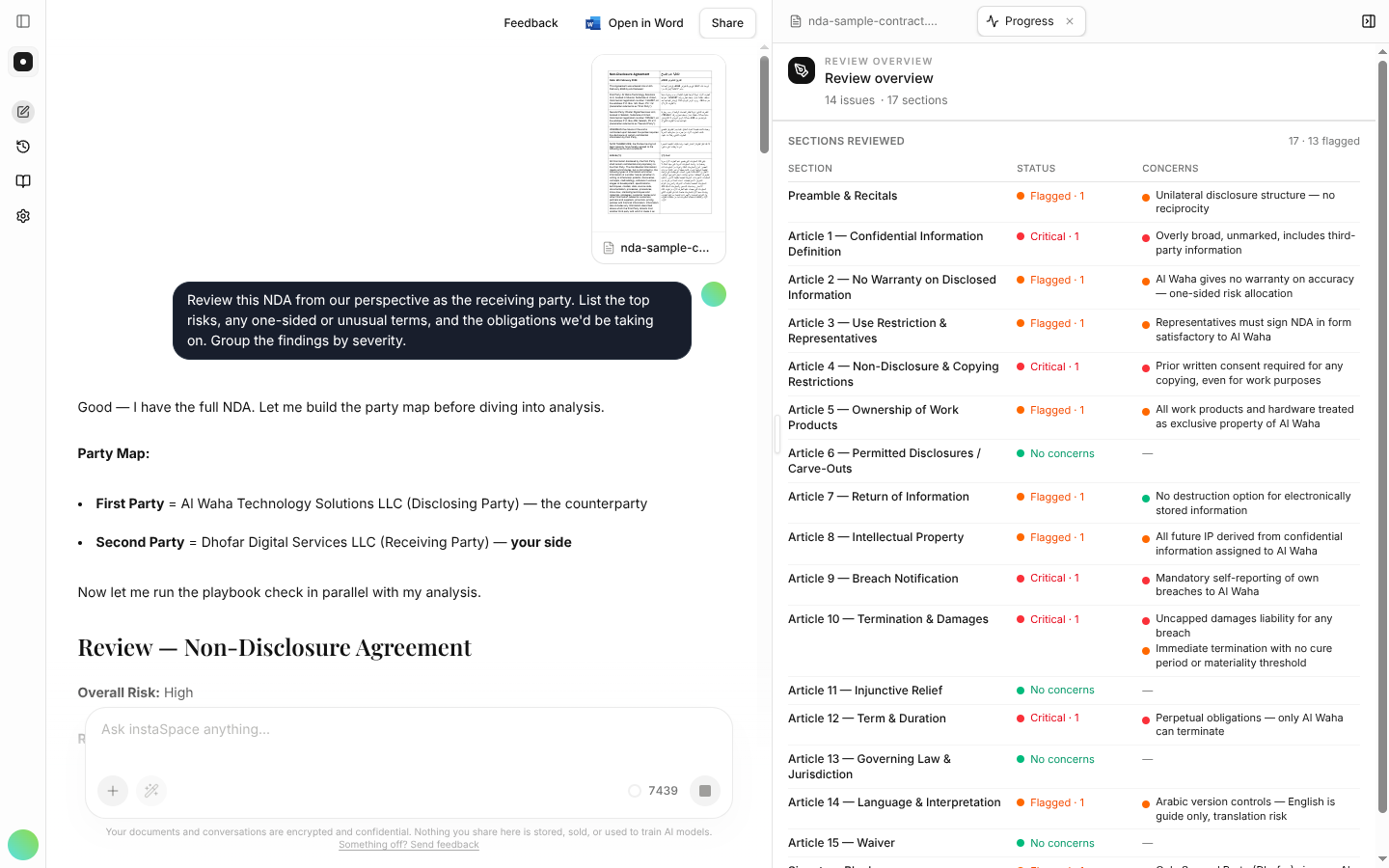
That's the core loop you'll use for everything.
What's next
A Getting started card now sits at the bottom of the left rail with six more steps on it, ticking themselves off as you work — see the checklist. From here, the handbook goes deeper on each job, starting with review.