

Setting up the door
Your workspace's intake address, who reviews what arrives, and how automatic letters are signed.
Intake needs one thing to start working: an address people can send to. Everything else on this page shapes what happens after mail arrives.
By the end you'll have an address to hand out, a reviewer team, and a decision about senders you don't know.
This is for owners and managers, under Settings → Intake.
The door
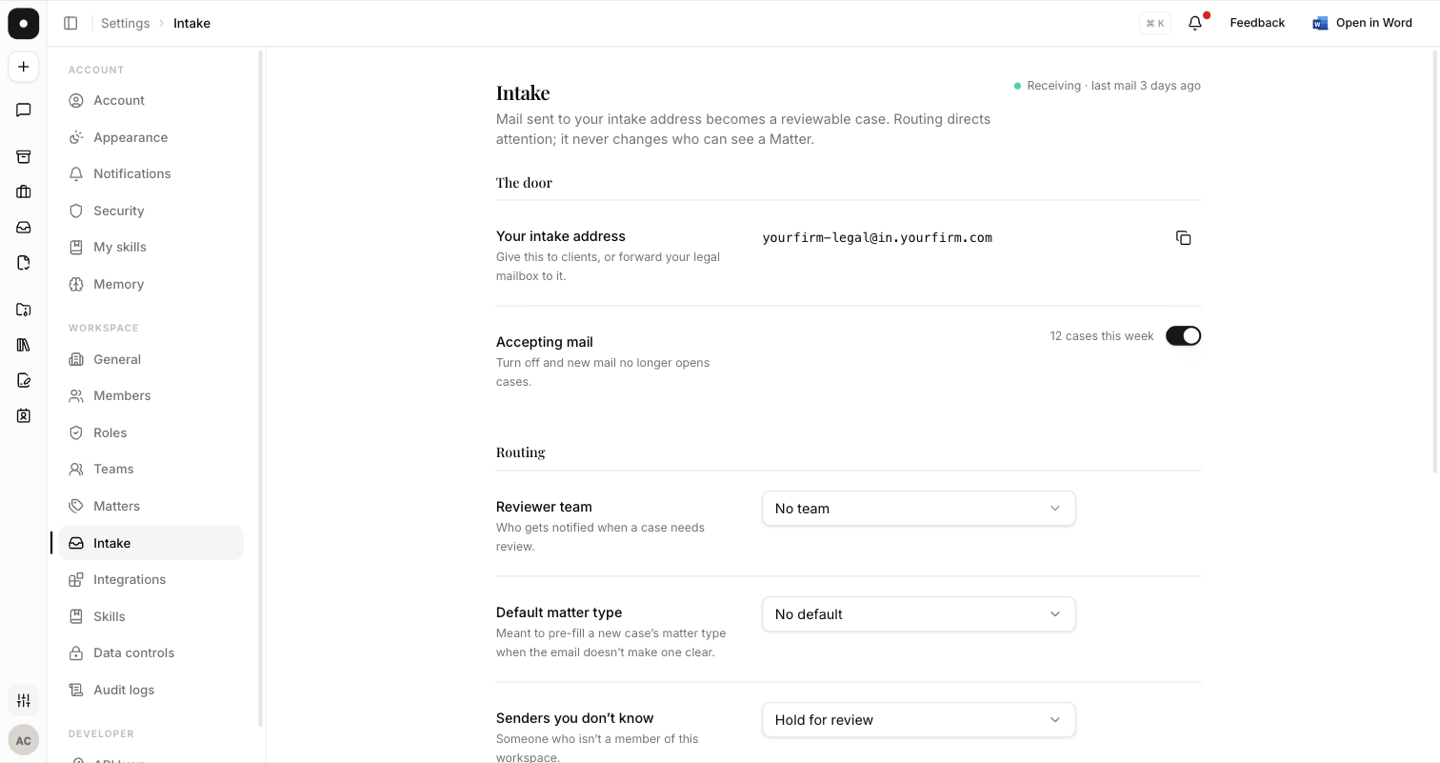
Your workspace has an intake address. Give it to clients directly, or forward your existing legal mailbox to it — most teams do the latter, so nobody has to change where they send things.
The page header tells you the door's actual state rather than making you guess:
- Receiving · last mail 2 hours ago — or no mail yet, if nothing has arrived.
- Not accepting mail — the switch is off.
- 3 cases this week — what the door has actually produced.
Accepting mail is the kill switch. Turned off, new mail no longer opens cases.
Copy the address from this page rather than reconstructing it by hand. The address shown here is the address that routes.
Routing
Routing decides who gets notified, and nothing else. It never changes who can see a matter.
| Setting | What it does |
|---|---|
| Reviewer team | Who is notified when a case needs review. |
| Default matter type | Pre-fills a new case's type when the email doesn't make one clear. |
| Senders you don't know | Hold for review, or Open a case normally. |
A "sender you don't know" is simply someone who isn't a member of this workspace. Held cases are marked sender not in this workspace in the queue and wait for a person — a reviewer can Trust & resume to let one through.
Both the reviewer team and the default matter type can be created inline from this page (New team…, New matter type…) so setting the door up doesn't send you elsewhere mid-task.
How automatic letters are signed
Intake writes to requesters — an arrival receipt, a reviewer's questions, a decision. Under Automatic letters are signed by you can name a member, and receipts and rule-opened decisions go out under their name with a line disclosing the automation. Left unset, they sign with the firm's name alone.
These letters go out as plain, signed prose on a white page — not templated notifications with a logo and a footer. See reviewing a case for what a requester actually receives.