

How requests work
The queue, the four statuses, and the trail every request carries with it.
A request is one piece of legal work with a name, an owner and a state. It might be "Review the NDA with Acme Corp" or "We need a services agreement for the Muscat branch." The point of putting it in a queue is that it stops being a favour someone remembers and starts being work the team can see, prioritise and finish.
By the end you'll know what a request holds, the four states it moves through, and what the activity trail records.
Where to look: Work → All requests in the left rail.
The queue
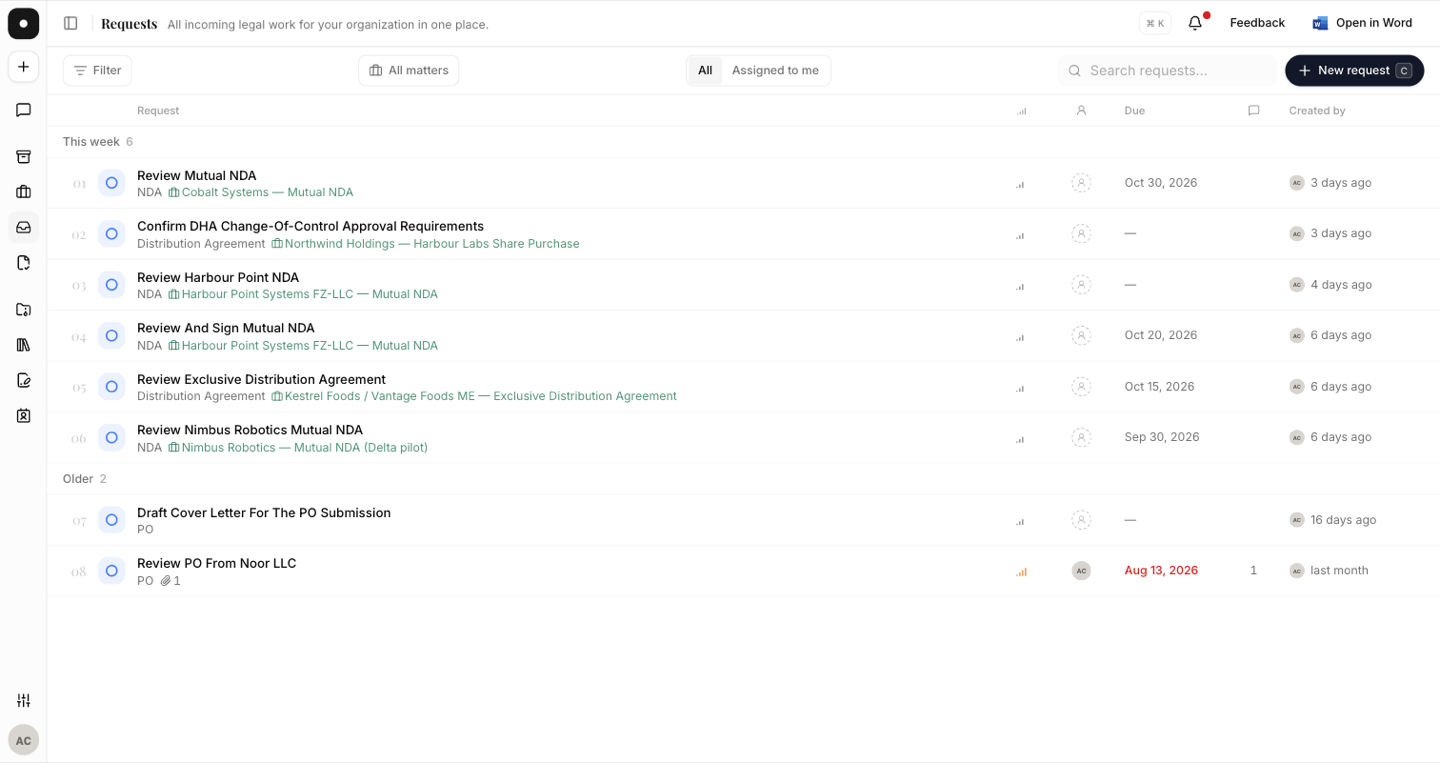
All requests is the org-wide view: every request anyone in the workspace has raised, newest first, with its priority, status, assignees, who created it and when it's due. Search finds a request by title; the filter narrows by status.
The four statuses
Every request sits in exactly one of four states, and moving between them is the whole lifecycle:
| Status | What it means |
|---|---|
| New | Raised, not yet picked up. This is the triage pile. |
| In progress | Someone owns it and is working on it. |
| Done | The work is finished. |
| Closed | Ended without being done — withdrawn, duplicated, or no longer needed. |
Done and Closed are deliberately different. A request that was completed and one that was abandoned look identical in a two-state system, and the difference matters when you look back at a quarter's work.
Priority and due dates
Each request carries a priority — Low, Medium, High or Urgent — and an optional due date. A request past its due date is marked Overdue on both the queue and its own page, so it surfaces without anyone having to hunt for it.
Priority is for the team's ordering, not for the requester's urgency. Everything feels urgent to whoever raised it; the value of the field comes from the legal team setting it during triage.
Everything is recorded
Each request has a single timeline that interleaves comments with lifecycle events — created, renamed, status changed, priority changed, assigned, unassigned, due date set, description updated, files attached or removed, matter type changed. You never have to reconstruct who decided what: it's on the request, in order.
Comments support @-mentions of both people and teams, and mentioning someone notifies
them. See Triage & assignment.