

Opening a matter
Three doors — describe the situation in prose, start blank, or start from a type and its checklist.
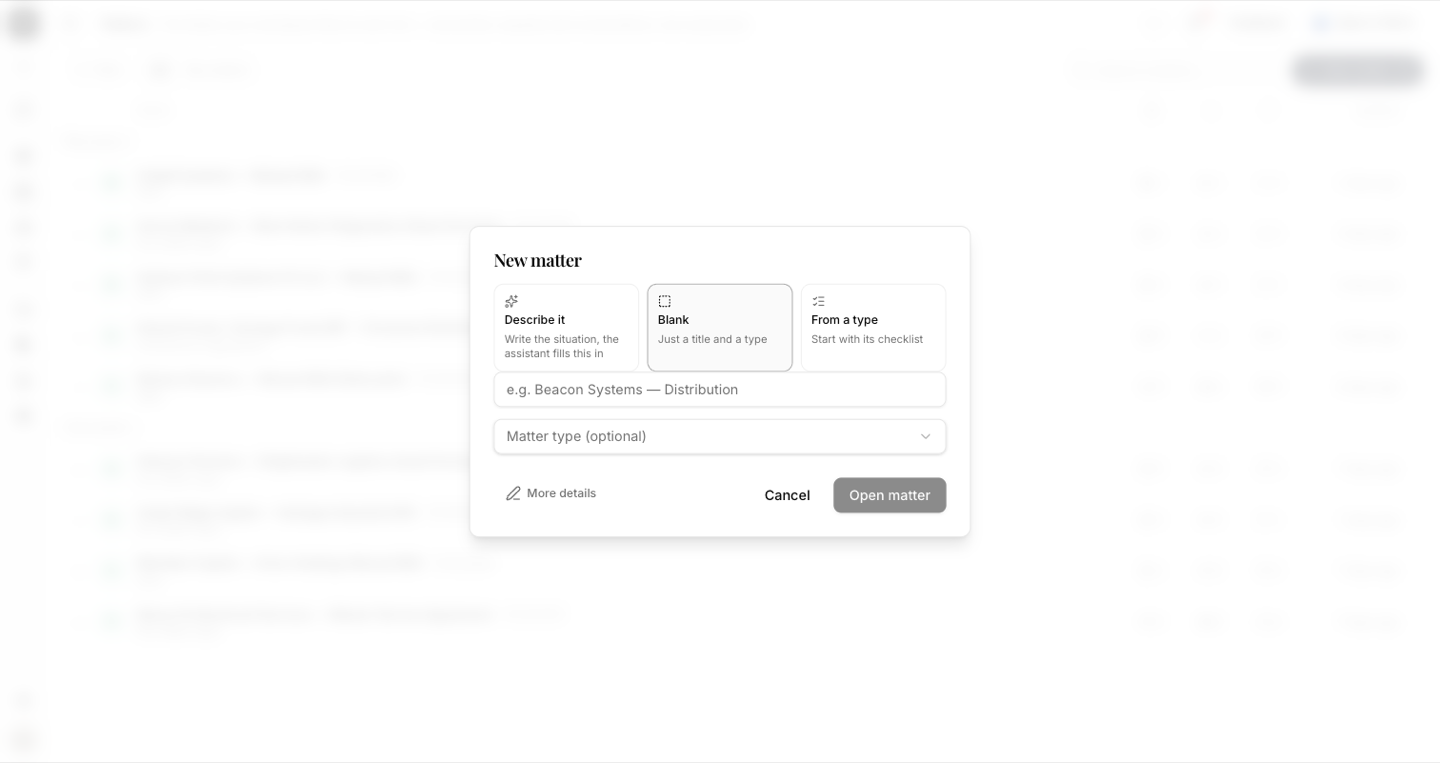
New matter is one sheet, not a wizard. It offers three ways in, and they differ only in how much you want to type.
By the end you'll know which door to use, what the assistant fills in for you, and what the conflict warning means.
Where to look: New matter, from the Matters page or the New menu in the left rail.
Describe it
Write the situation in prose — "Beacon Systems is distributing our hardware in Oman, they've sent their paper, signing is meant to be 30 April" — and press Fill it in. The assistant reads it and populates the form: title, client, counterparty, matter type, key date.
This is the same extraction an intake proposal performs, moved to where people actually start. What it fills in is a first draft:
The form says "The assistant filled these in — correct anything." Read every field before you create the matter. If nothing could be read from your description, it tells you so and you fill the fields by hand.
Blank
Just a title and a type. Use it when you already know exactly what the matter is and don't need anything extracted.
From a type
Start with a matter type and inherit its starter checklist. The sheet previews what you'll get — "'Acquisition' opens with 6 requests" — before you commit.
The conflict warning
If a name you've entered already appears elsewhere in the workspace, the sheet says so before you create anything:
"Beacon Systems" appears in 3 existing matters. One open: "Beacon Systems — Supply". Review before opening.
This is a prompt, not a block. You may well be opening a second matter for the same client on purpose — but you should do it knowing the first one exists. The check reads the parties named on existing matters, which is why naming the counterparty properly matters.
Starter requests are offered, never automatic
If the type carries a checklist, the new matter's Overview offers them:
6 starter requests from the "Acquisition" checklist can be added to this matter.
Nothing is created until you press Add starter requests. A matter that doesn't need the full checklist doesn't get it.