

Audit logs
An append-only record of who did what in your workspace — filterable and exportable.
When someone asks "who deleted that playbook?" or "who downloaded the executed copy?", the answer needs to exist before the question does. The audit log is an append-only, workspace-scoped record of the actions people take.
By the end you'll know what is and isn't recorded, how to filter the log, and how to export it.
This is for workspace owners, under Settings → Audit logs.
What it records
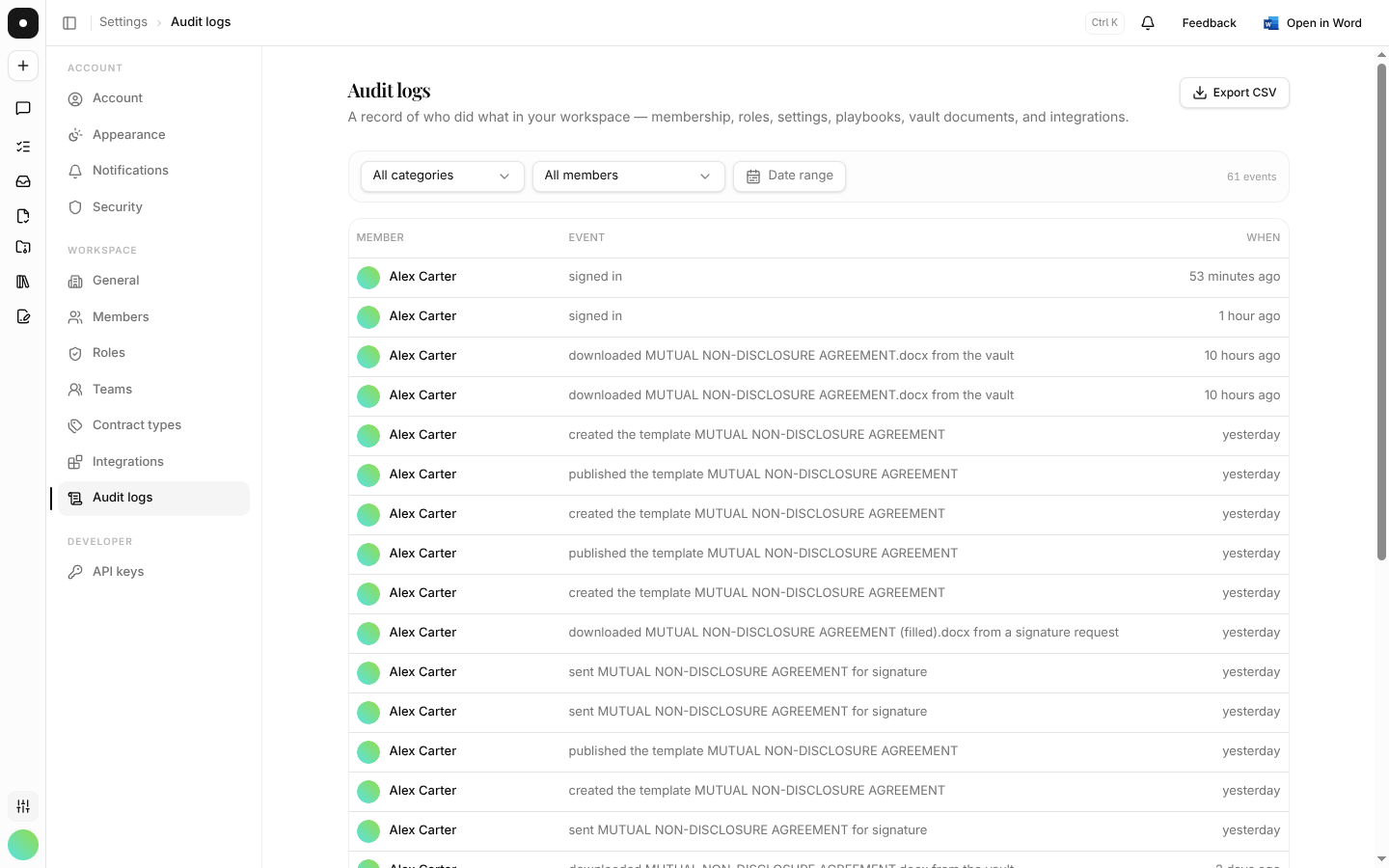
Broadly: anything that changes workspace state or takes data out of it.
- Access — sign-ins, sign-outs, password resets, workspace creation
- People — member invites, removals, role changes, role-permission edits
- Settings — workspace settings changes, matter type changes, team billing changes
- Content — playbook create / duplicate / publish / delete; vault uploads, downloads, moves, deletes and collection changes
- Requests — comments added, edited and deleted; attachments added and removed
- Signatures — templates created and published, requests sent, signed documents downloaded (including through a signer link or the API)
- Chat — file attachments, thread deletion, share links created and revoked
- Integrations — connect and disconnect
Every entry carries the actor as a name and email snapshot, so a deleted account doesn't erase its own history.
What it deliberately doesn't record
Not everything is signal. Chat and AI message traffic, read-only page views, and inline file previews are left out on purpose — logging them would bury the events that matter under noise. Explicit downloads are recorded; looking at a preview is not.
Filtering and export
Filter by category, by member, and by date range. Export CSV exports the filtered log, not the whole thing — so the export you hand to an auditor is the slice you actually reviewed.
Logging is fire-and-forget: it never blocks or fails the action it's recording. That's the right trade for a product — but it means the log is a record, not a control. Don't build a process that depends on an entry existing before something else may proceed.
What's gated by plan
Audit logs need a Team or Enterprise plan, and the page is owner-only. See Plans & seats.