

How intake works
From an email at the door to an open matter — the case, the proposal, and the statuses in between.
Intake runs one path, with a person at the end of it. Understanding the path makes the rest of the section obvious.
By the end you'll know what a case is, how messages get attached to the right one, and what each status means.
Where to look: Work → Intake, on the Cases tab.
A case is a conversation, not a message
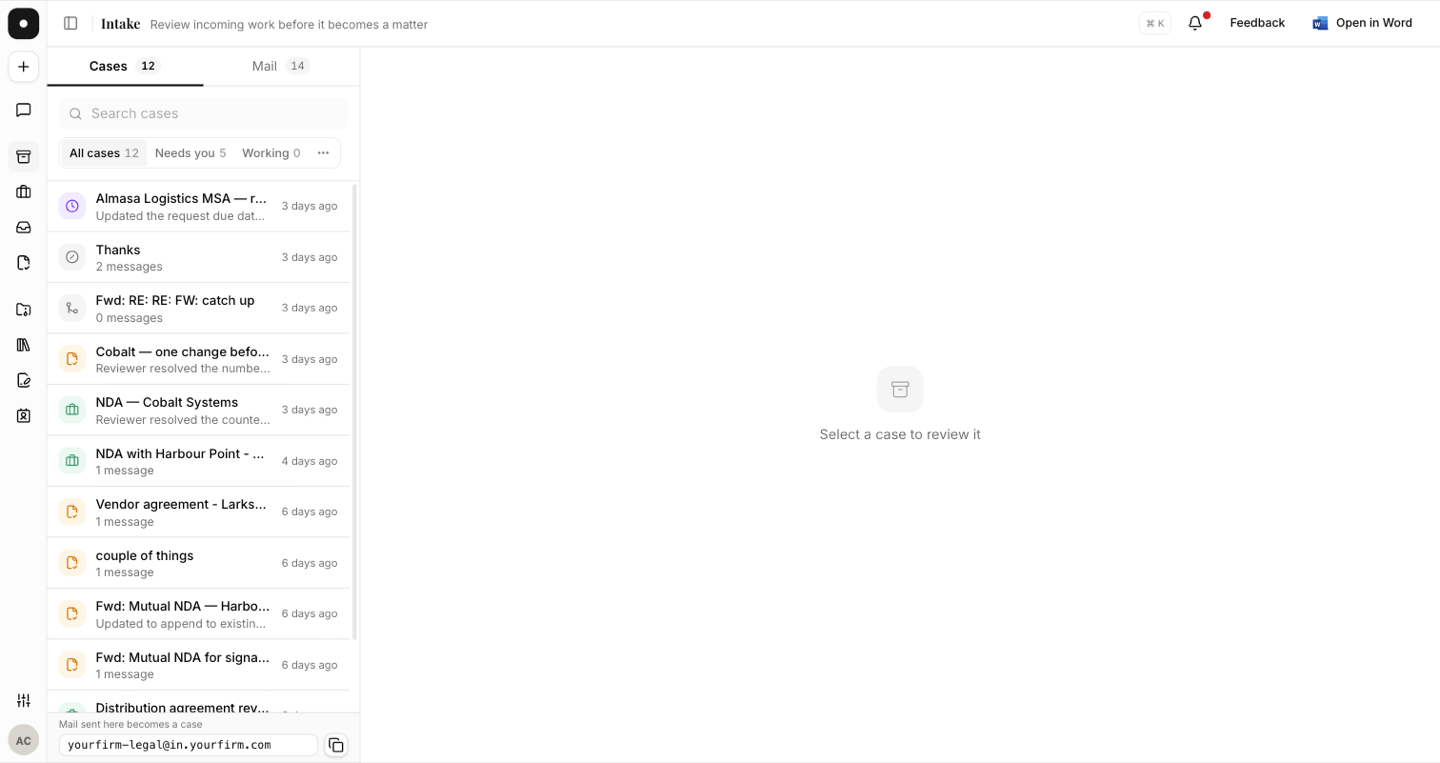
A case gathers every message that belongs to one request. New mail is matched to an existing case deterministically, and the interface tells you which rung matched:
| Correlated by | What it means |
|---|---|
| Thread | Same email conversation as the case's existing mail. |
| Token | Sent to the case's secure reply address. |
| Fingerprint | Matched by its document or subject. |
| Human | Filed onto the case by a person. |
Nothing is guessed silently — if a message can't be correlated, it opens its own case rather than landing on the wrong one.
The proposal
Once a case has messages, the assistant folds them into a single proposed matter: title, summary, client, counterparty, matter type, key date, the requests the work implies, and which attachments to file. Every new message re-folds the proposal, and each version is kept.
Crucially, fields carry citations — matched contact, matched open matter, from your matter types, matched member, from a signal. A field with no citation is flagged as the model's reading of the messages alone, so you always know which is which.
Statuses
| Status | What it means |
|---|---|
| Proposed | A proposal exists and is waiting on a person. |
| Triaging / Gathering | Still being read and assembled. |
| Held | The sender isn't a workspace member — a person decides. |
| Waiting on requester | A clarification was sent; the case is waiting on a reply. |
| Promoted | Approved — a matter was opened. |
| Declined | Turned down, with a letter to the requester. |
| Merged / Discarded | Folded into another case, or dropped. |
The queue groups these into Needs you, Working, Waiting and Settled, so the first column is always the work that's actually yours.
Two things can also happen to a case
- Split. One email holding unrelated asks can be split: select the requests that belong elsewhere and Split to a new case. The new case gets its own proposal scoped to only that work, attributed to the original sender.
- Merge. Two cases that turn out to be the same request can be merged into one.
After a matter is opened
Later messages on a promoted case don't vanish. They stay on the case and can become an add-to-matter proposal — approving that adds to the named matter rather than creating a second one.