

What a matter is
The six tabs, the facts panel, and everything a matter gathers into one scope.
A matter is a named scope of work — "Beacon Systems — Distribution", "Acme acquisition" — with a type, an owner, a status and a set of people. Everything filed into it stays reachable from one page.
By the end you'll know what each tab holds, what the facts panel records, and the difference between closing and archiving.
Where to look: Work → Matters in the left rail.
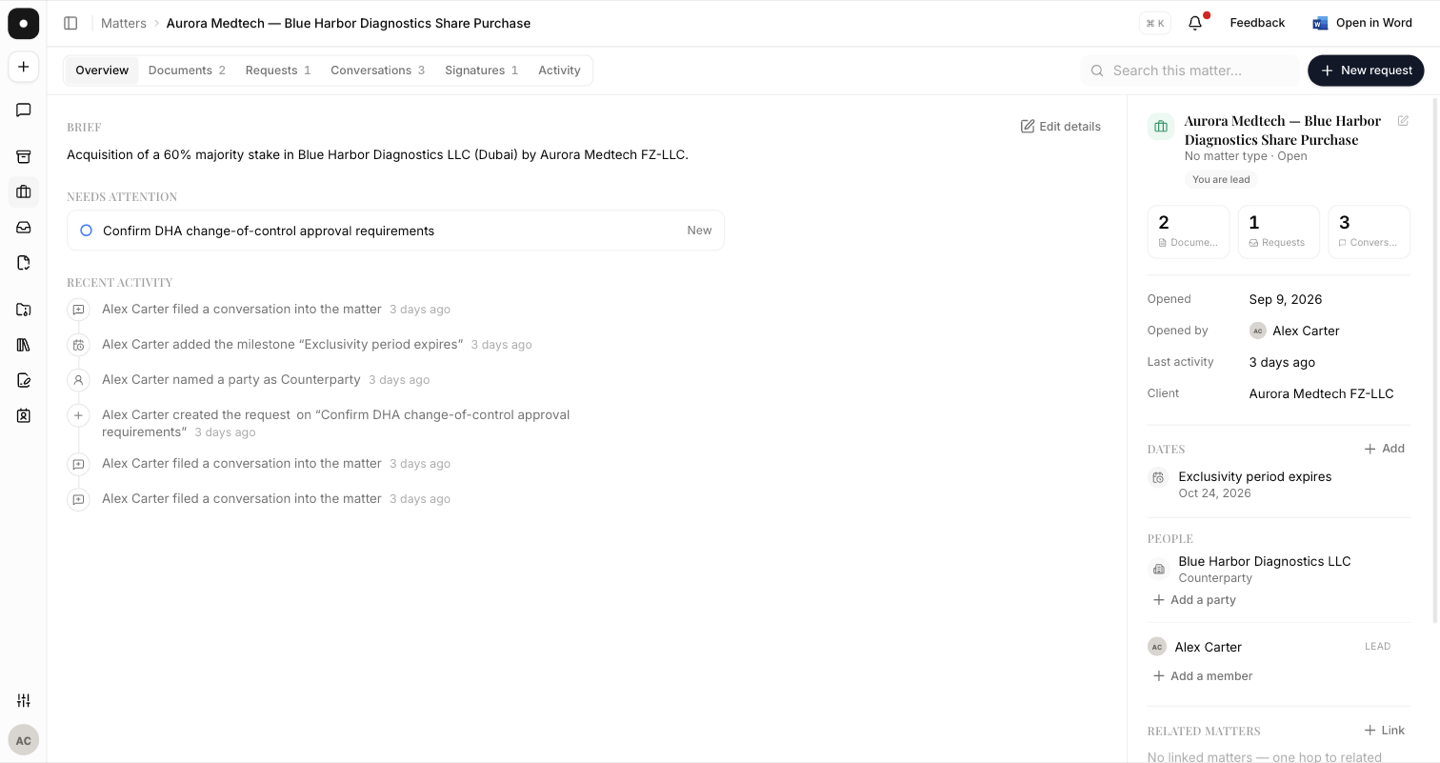
The six tabs
| Tab | What it holds |
|---|---|
| Overview | The brief, what needs attention, and recent activity. |
| Documents | Everything filed here — drafted in a chat, or associated from the vault. |
| Requests | The requests raised against this matter. |
| Conversations | Chats filed into the matter, plus any started from it. |
| Signatures | Anything sent out for signature from this matter. |
| Activity | An ordered record of every change, by whom. |
Overview, and "Needs attention"
Overview opens with a brief — a sentence or two on what the matter is, which you can edit at any time — and a Needs attention panel that pulls forward only what is actually pending: open requests with a due date, anything awaiting signature, and a key date that is approaching or already past. When there is nothing outstanding it says so plainly rather than showing an empty list.
The facts panel
Alongside the tabs, a matter records a small set of facts: Title, Opened and Opened by, Last activity, Client, Reference and Key date. These are the fields a conflict check reads, and the fields an intake proposal fills in when a matter is opened from an email.
Documents carry their source
Every document in a matter is labelled with where it came from — vault for a file that already existed, drafted for one the assistant produced in a conversation — along with its version and who filed it. A draft that went through four revisions in a chat arrives with that history attached rather than as a loose file.
Open, closed, archived
A matter is Open or Closed. Closing is a status change: the matter stays in the register and everything in it stays reachable.
Archiving is different. An archived matter leaves the register and disappears from every file-to-matter picker, so nobody files new work into something that finished last quarter. It is fully reversible — a banner on the matter says when it was archived and offers Restore, and Show archived brings archived matters back into the list.
Close a matter when the work is done but the record is still live. Archive it when you want it out of everyone's way.
Asking about a matter
Every matter has its own assistant dock — Ask about this matter — that opens a chat already scoped to it. Conversations started this way are filed into the matter automatically, so asking "what changed between version two and three" doesn't create a stray thread somewhere else.