

Tracking requests
Who has signed, who hasn't, and where the executed copy lives.
Once a document is out, the question is always the same: is it back yet, and if not, who are we waiting on. The Signature requests page answers both without anyone having to open their email.
By the end you'll be able to read the tracker, open a request's record, and download the executed copy.
Where to look: Work → Signature requests.
Reading the list
Unfinished preparations lead the list under Continue preparing — drafts you started and haven't sent, which you can resume or discard. Below them sit the real requests, each with its status, its signers, how many have signed, and when it went out.
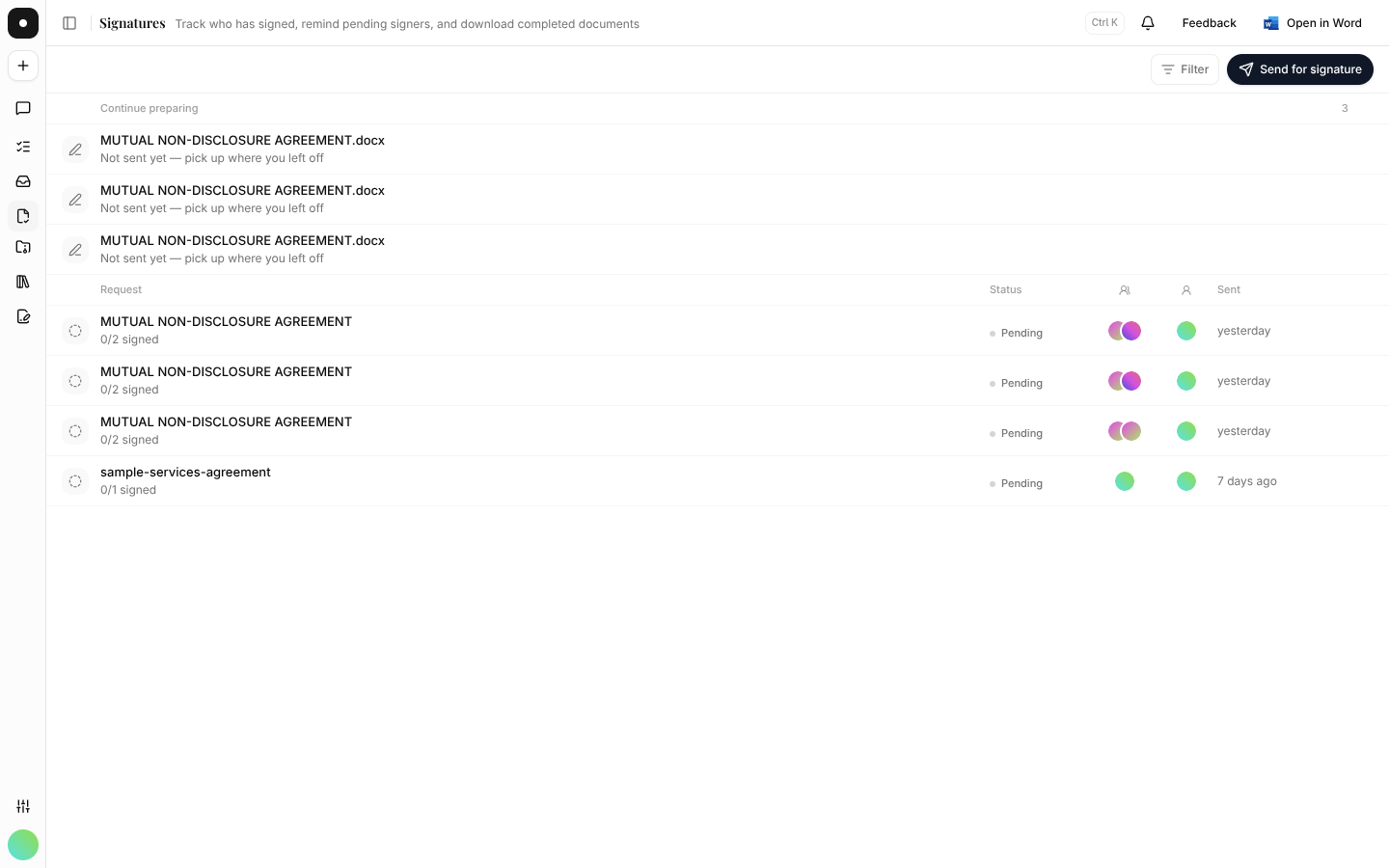
The status marks are consistent with the rest of the flow — amber for opened, emerald for completed — so the colours mean the same thing here as they do in the walkthrough.
The request record
Opening a request gives you the whole story in the flow's own language:
| Section | What it holds |
|---|---|
| Documents | What was circulated. |
| Execution | Each party and where they are in the sequence. |
| Signature blocks | What was actually dispatched, as placed. |
| Particulars | The details that were filled, named readably. |
| Audit trail | "Circulated for signature" through to "Fully executed — every party has signed". |
Two downloads sit on the record, named for what they are rather than for their file formats: the executed copy, and the document as circulated.
Chasing signers
The record shows each signer as invited or waiting. With sequential signing, someone who hasn't been invited yet isn't late — they simply haven't been reached. Check the order before chasing anyone.
Quotas
Each plan includes a monthly allowance of signature requests. The Before it goes list on the Send step states which request a send consumes, so the count is never a surprise after the fact. If you've run out, the send is blocked with the reason named — see Plans & billing.
Downloads of signed documents are recorded in the workspace audit log, including downloads through a signer link or the API. If your firm has to show who took a copy of an executed agreement, that's where it is.