

The mail ledger
Every email sent to the door, on the record — including the ones that never became a case.
A queue that only shows mail which became a case hides its own failures. A bounce filter's verdict, a refused attachment, a message the provider never handed over — all of it used to vanish into server logs. The Mail tab records every email sent to your intake address, whatever happened to it next.
By the end you'll know what each outcome means and how to rescue a message that was wrongly set aside.
Where to look: Work → Intake, on the Mail tab.
What each outcome means
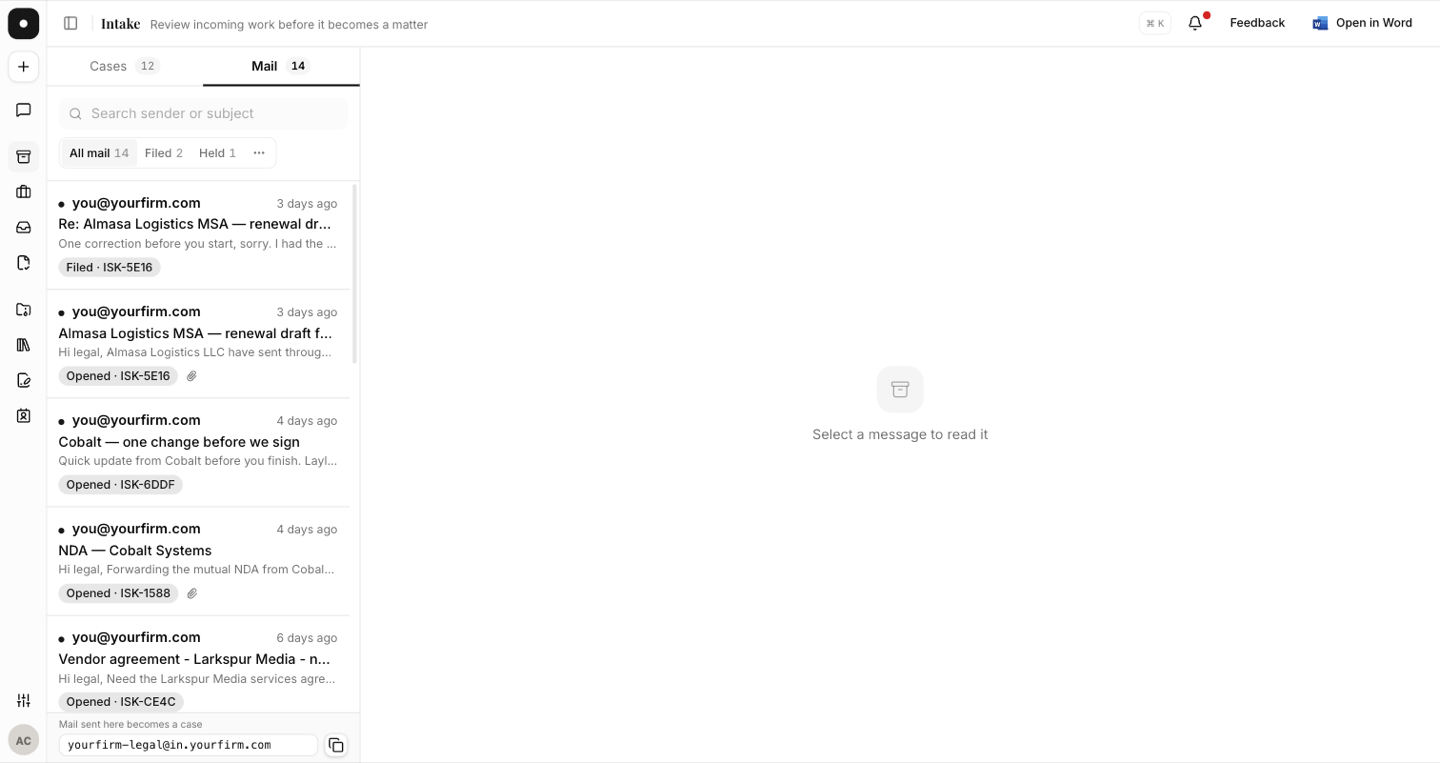
| Outcome | What happened |
|---|---|
| Filed | Joined an existing case's correspondence. |
| Opened | Opened a new case, and a receipt was sent. |
| Held | The sender isn't in this workspace — a person decides on the case. |
| Set aside | Filtered at the door: an auto-reply, a bounce notice, our own mail looping back, or no sender address. |
| Not received | We were notified of the email but couldn't collect it from the provider. |
Each row shows the sender, the subject, and whether sender verification passed. Filed and opened rows name the case they belong to and link straight to it.
Attachments are accounted for
A message's files are listed with what happened to each one — accepted, or refused with the reason: over the size limit, over the file-count limit, the content doesn't match its type, or it couldn't be retrieved. An accepted file opens in the same in-app preview the case view uses.
If a requester insists they sent the contract and the case doesn't have it, the mail ledger is where you find out why — and what to tell them.
Rescuing a message
Two actions recover the cases that shouldn't have been lost:
- "This is a real request — file it" on a message that was set aside. It queues for filing and appears on a case shortly.
- Retry now on a Not received message, which tries the provider again. The row records the last error and how many times it has been retried.
Filters
The Mail tab and the case list share one control — All / Filed / Held for mail, All / Needs you / Working for cases — in a segmented pill, with the rest behind a menu.